ESC Groups
ESC groups are a feature that make it convenient to configure multiple related ESCs. ESC groups separate ESC settings into 'group' settings that are the same between all grouped ESCs and 'per unit' settings that can be unique to each unit. Groups allow you to do operations such as configuring group settings, applying settings presets and updating firmware as if the group were a single ESC.
Note: Only ESCs on a firmware version greater than 2.0.0 can be grouped.
Understanding Group Settings
Settings on the ESC are put into two subsets:
- Per-unit settings: These are settings that are commonly different between ESCs on a vehicle
- Common/Group Settings: These are settings that are generally the same between all ESCs on a vehicle
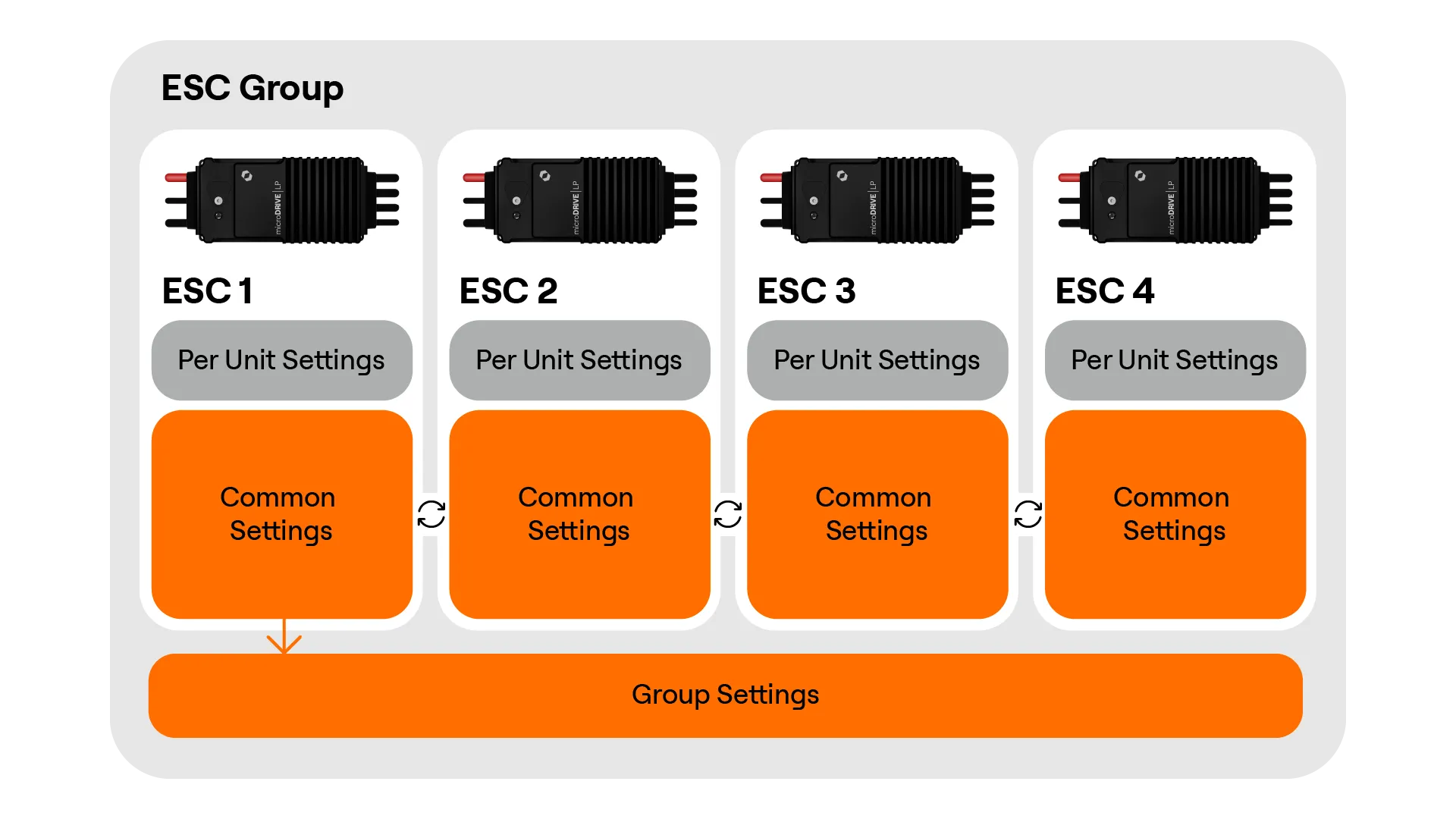
When ESCs are grouped Settings Sync is enabled for that group. This synchronises the common settings between all ESCs to the common group settings values. The below diagram shows this behaviour:
Settings Sync Disabled
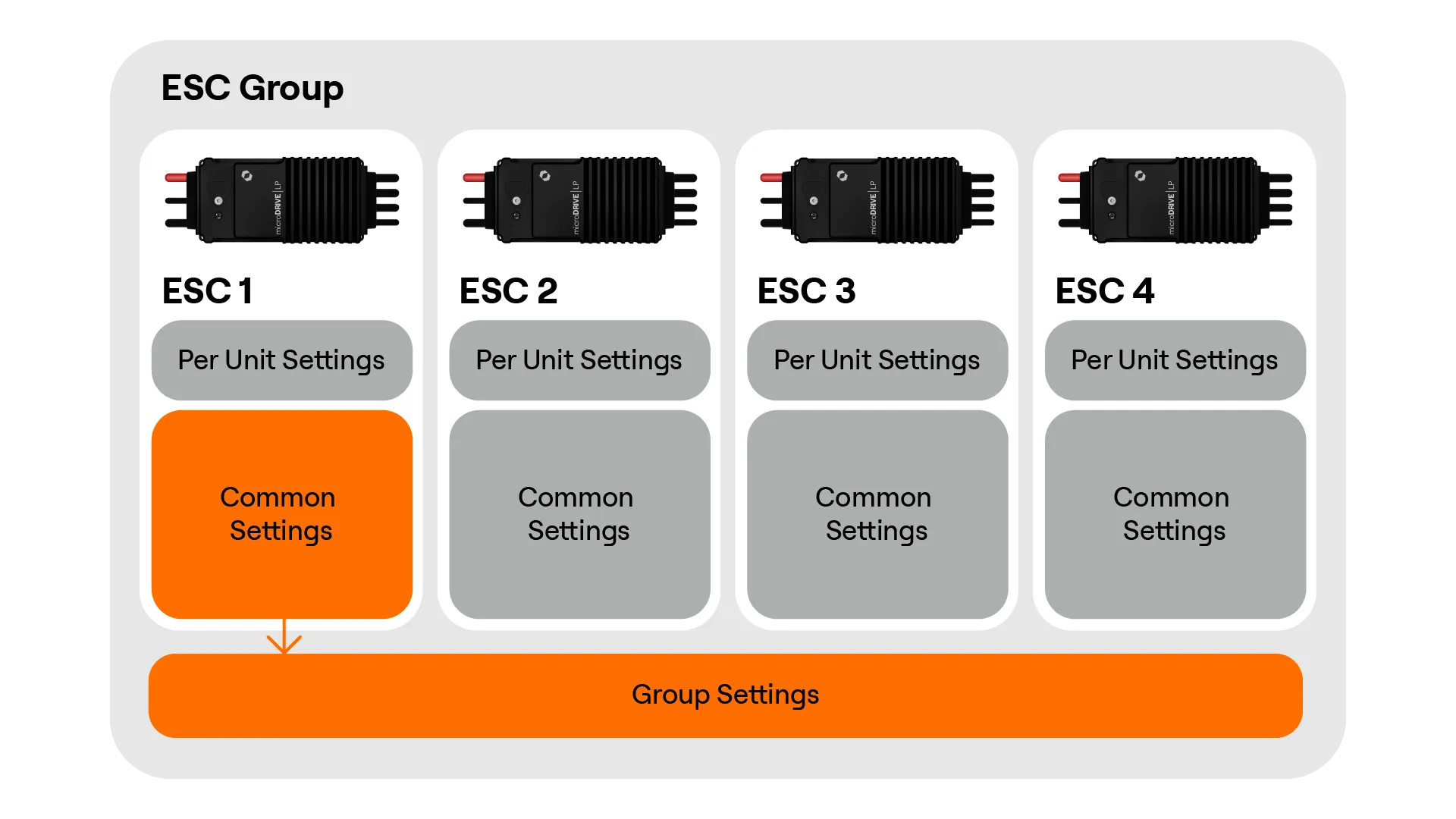
To prevent overwriting settings, if an ESC with different common settings is added to a group settings sync will automatically disable. Settings sync can also be manually turned off. Disabling settings sync can be useful if there are common settings that you would like to be unique between units. The below diagram shows how group settings are displayed when settings sync is disabled:
Creating a group
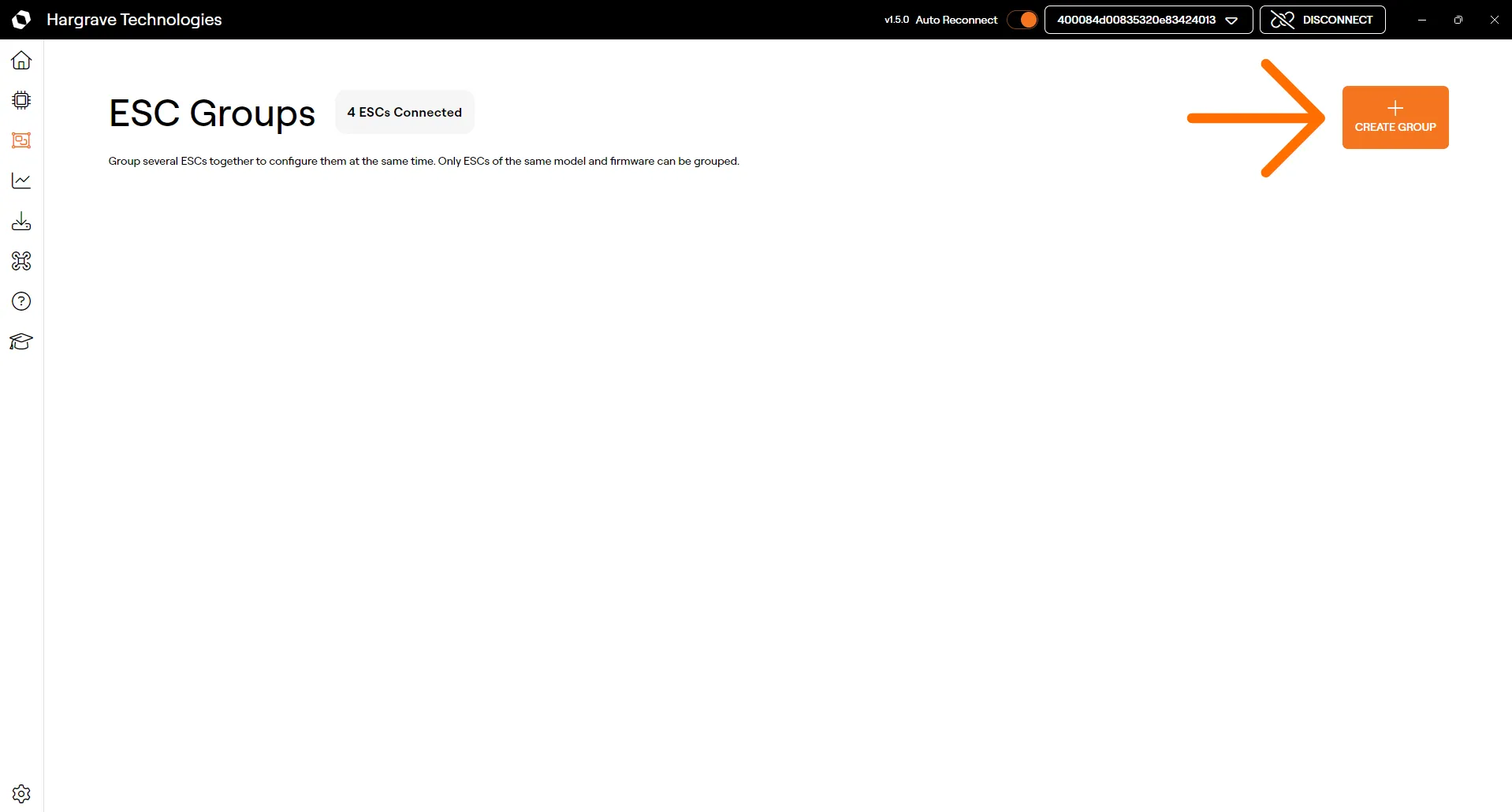
To create a group page you can navigate to the Groups page or by selecting the Group ESC button on the ESC page or connection dropdown.
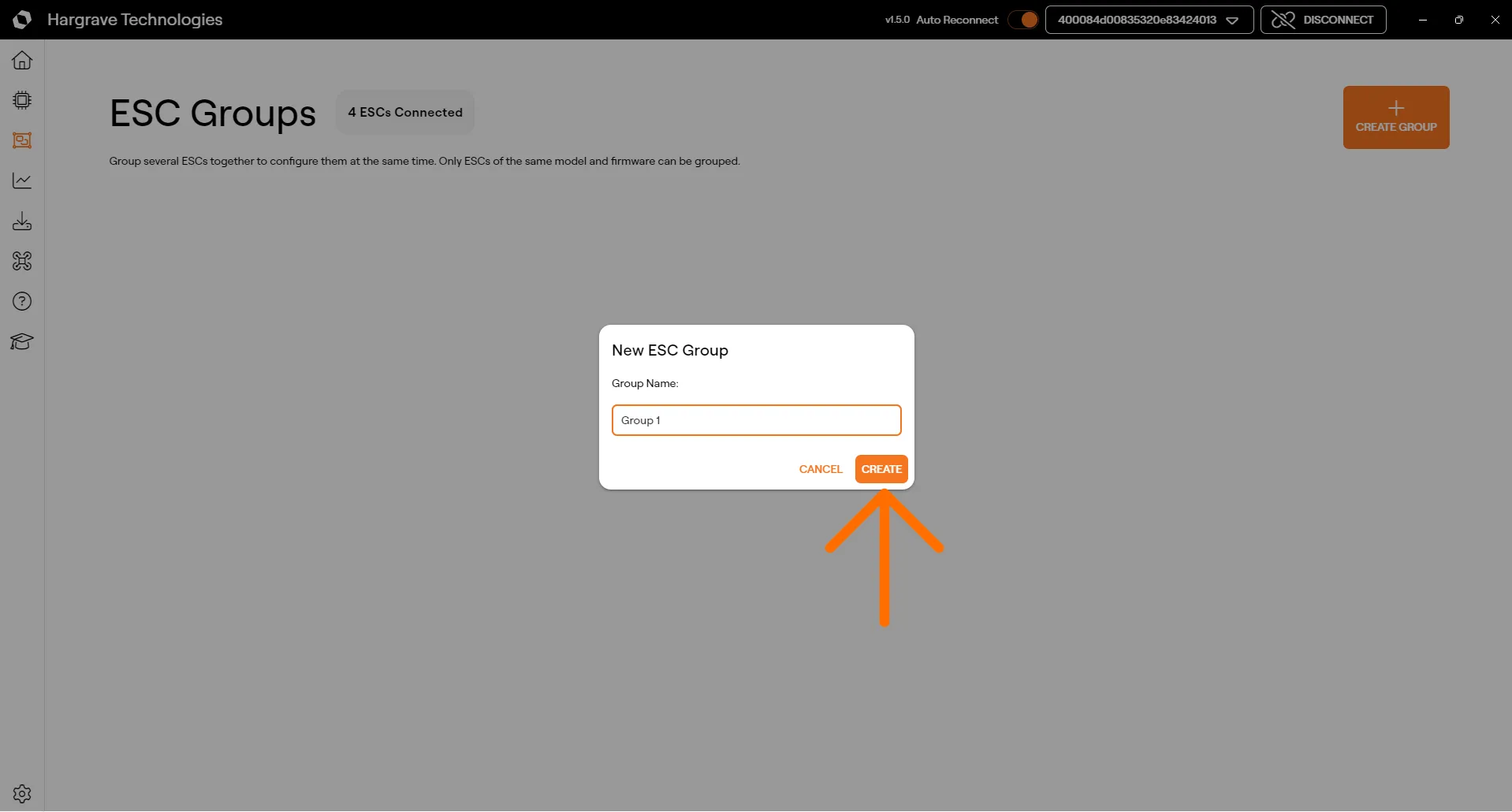
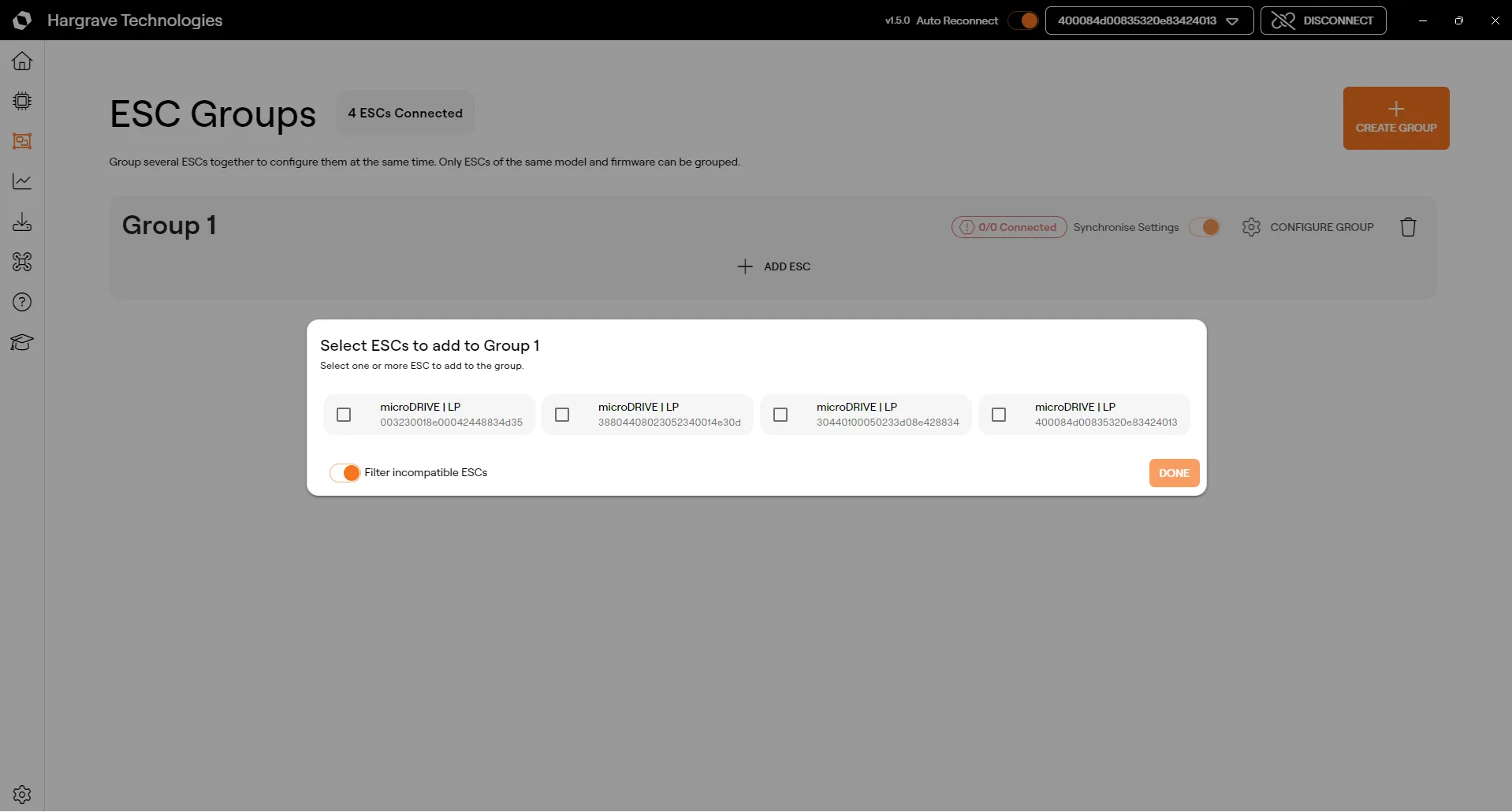
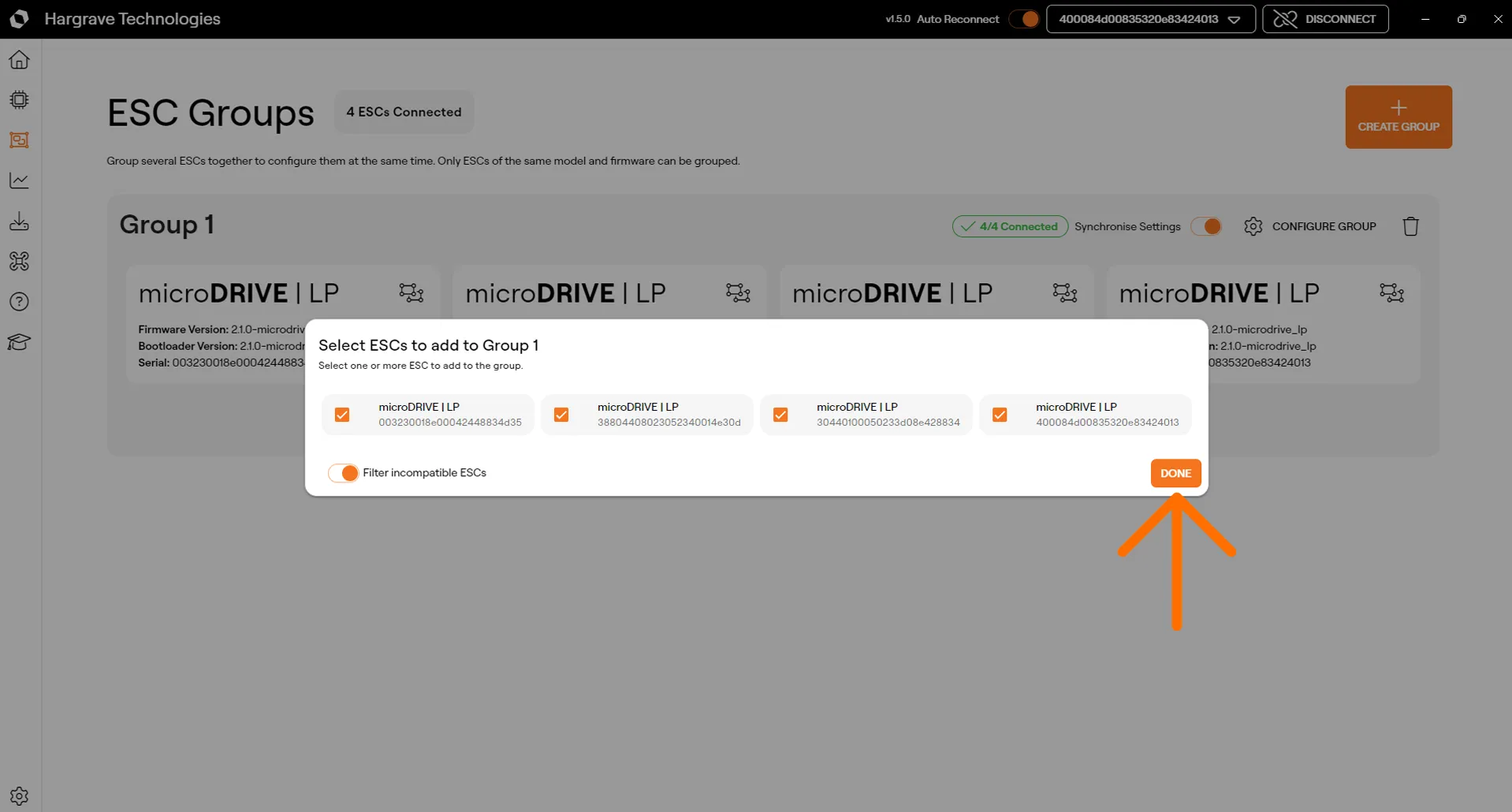
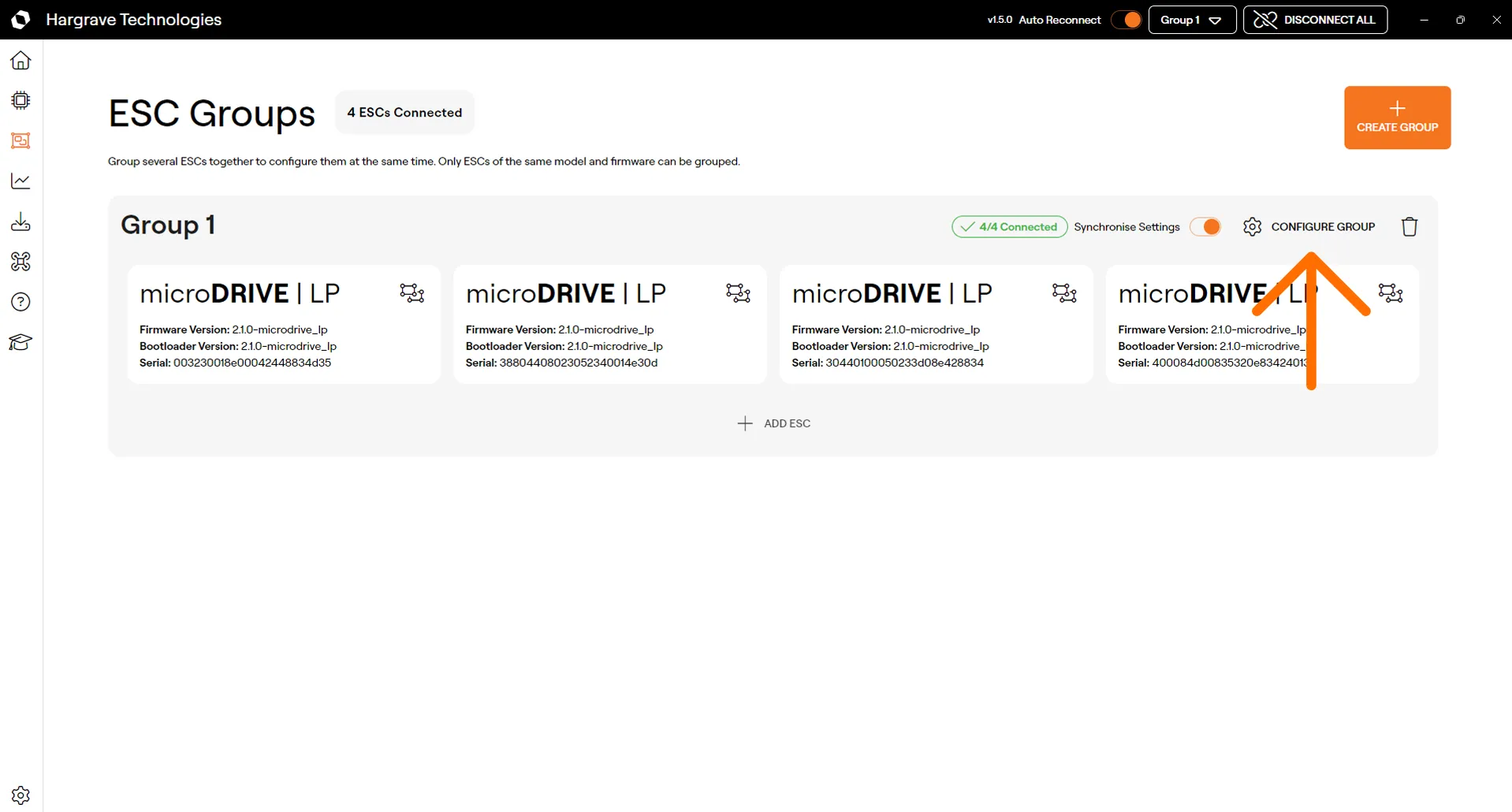
You can click and drag to rearrange ESCs within a group.
Group Status Messages
Depending on the state of the group you may see the following status messages. Their meanings are described in the table below.
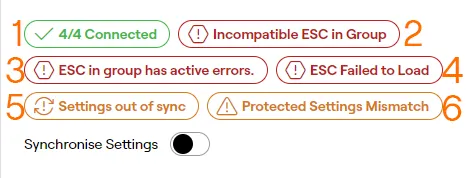
Number | Meaning |
|---|---|
1 | Displays how many of the grouped ESCs are currently connected |
2 | Incompatible ESC in Group: This will display if an ESC in the group is incompatible with the group (this is based off the first ESC in the group). This will appear if an ESC has had its firmware updated when other grouped ESCs have not. Group settings saving will be disabled if this error is active. |
3 | ESC in group has active errors: This displays if there are active errors on one or more grouped ESCs. Dismiss errors on all grouped ESCs to dismiss this message. |
4 | ESC Failed to Load: This displays if an error was encountered when loading one or more of the grouped ESCs. This can mean that the settings or errors of one or more failed to load properly. Clicking on this chip will reload any ESCs that failed to load. |
5 | Settings out of sync: This means that the common settings between ESCs do not currently match. This can be caused by the settings failing to load on one of the grouped ESCs. Enabling settings sync, and reloading an ESC if applicable, should resolve this message. |
6 | Protected Settings Mismatch: Displayed if one or more of the grouped ESCs has a different protected settings checksum. |
Configuring a group
Configuring a group is very similar to configuring just a single ESC.
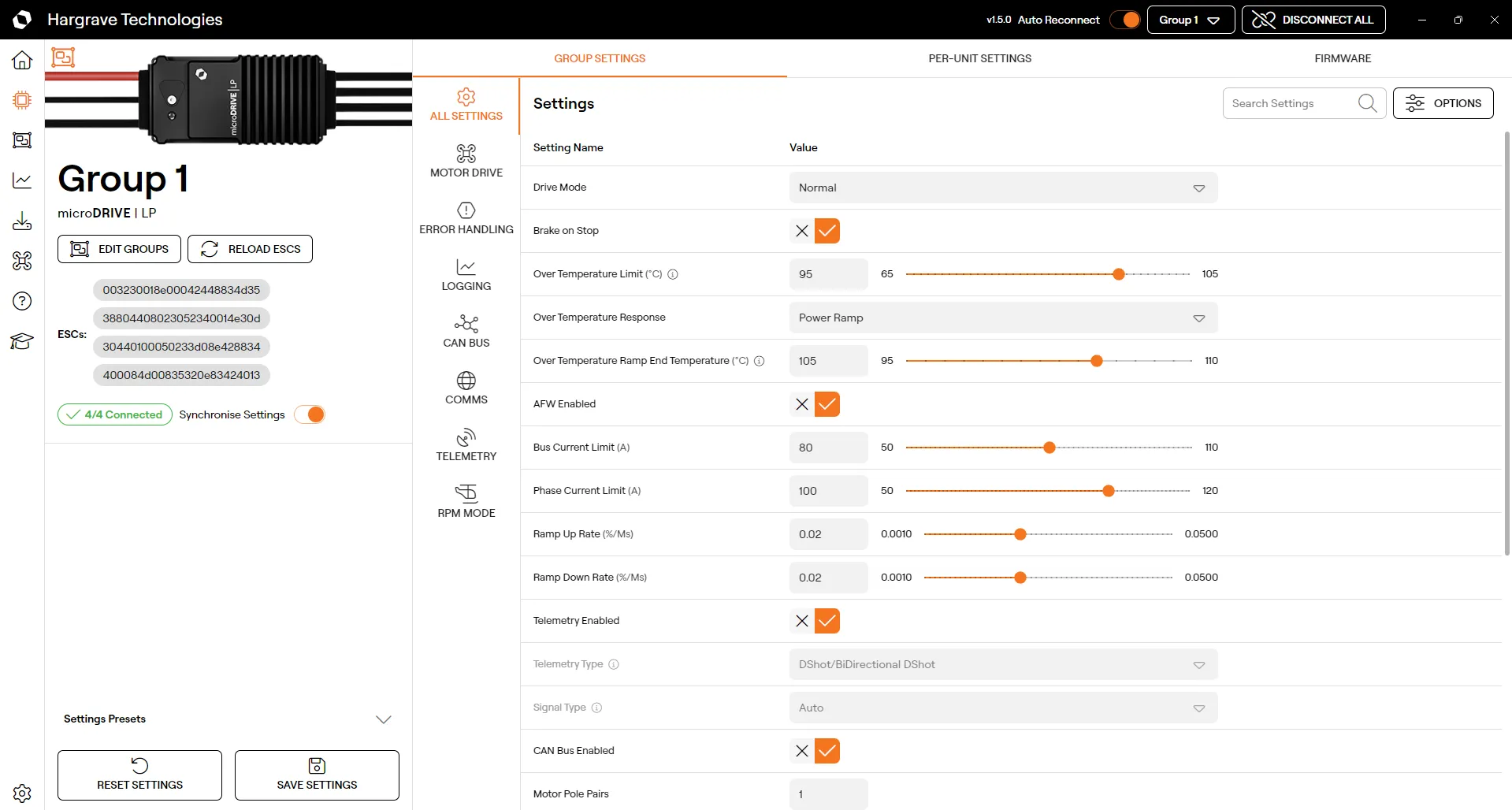
Changing Group Settings
On the ESC page you can change group settings how you would normally configure an ESC.
Changing Per-Unit Settings
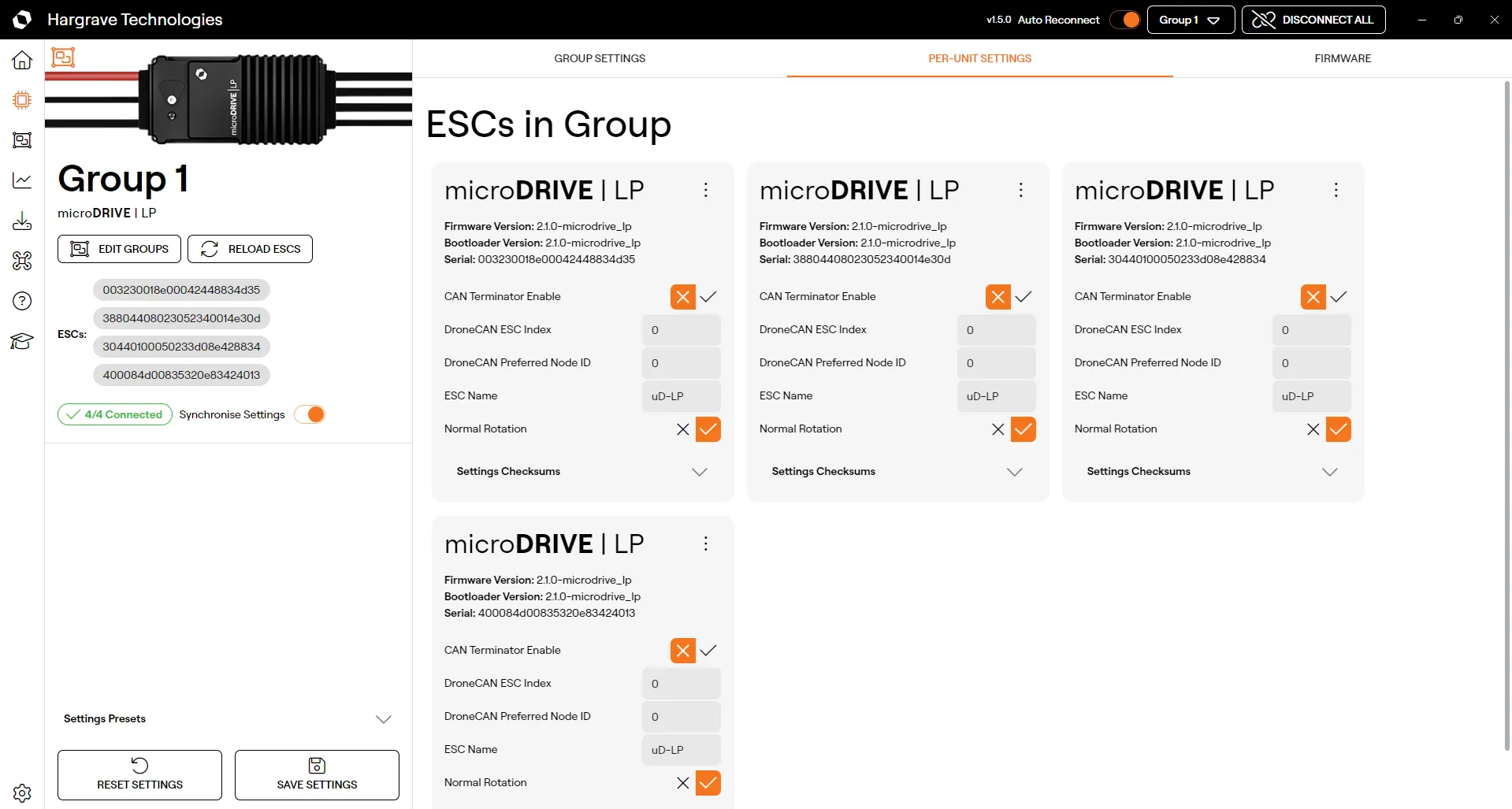
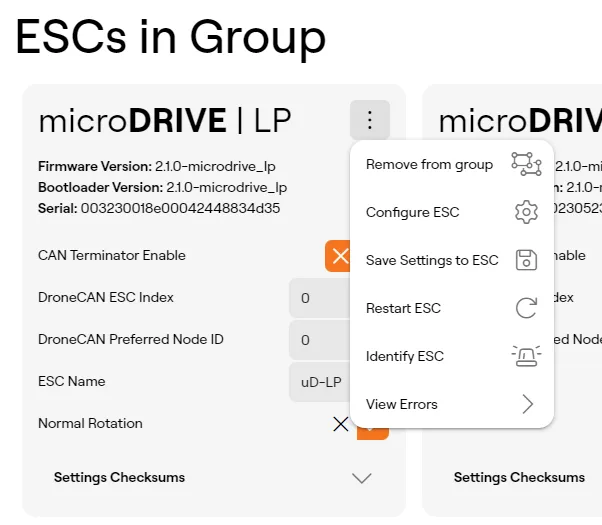
Switch over to the Per-Unit Settings tab to change the per unit settings for each ESC in the group.
Saving Settings
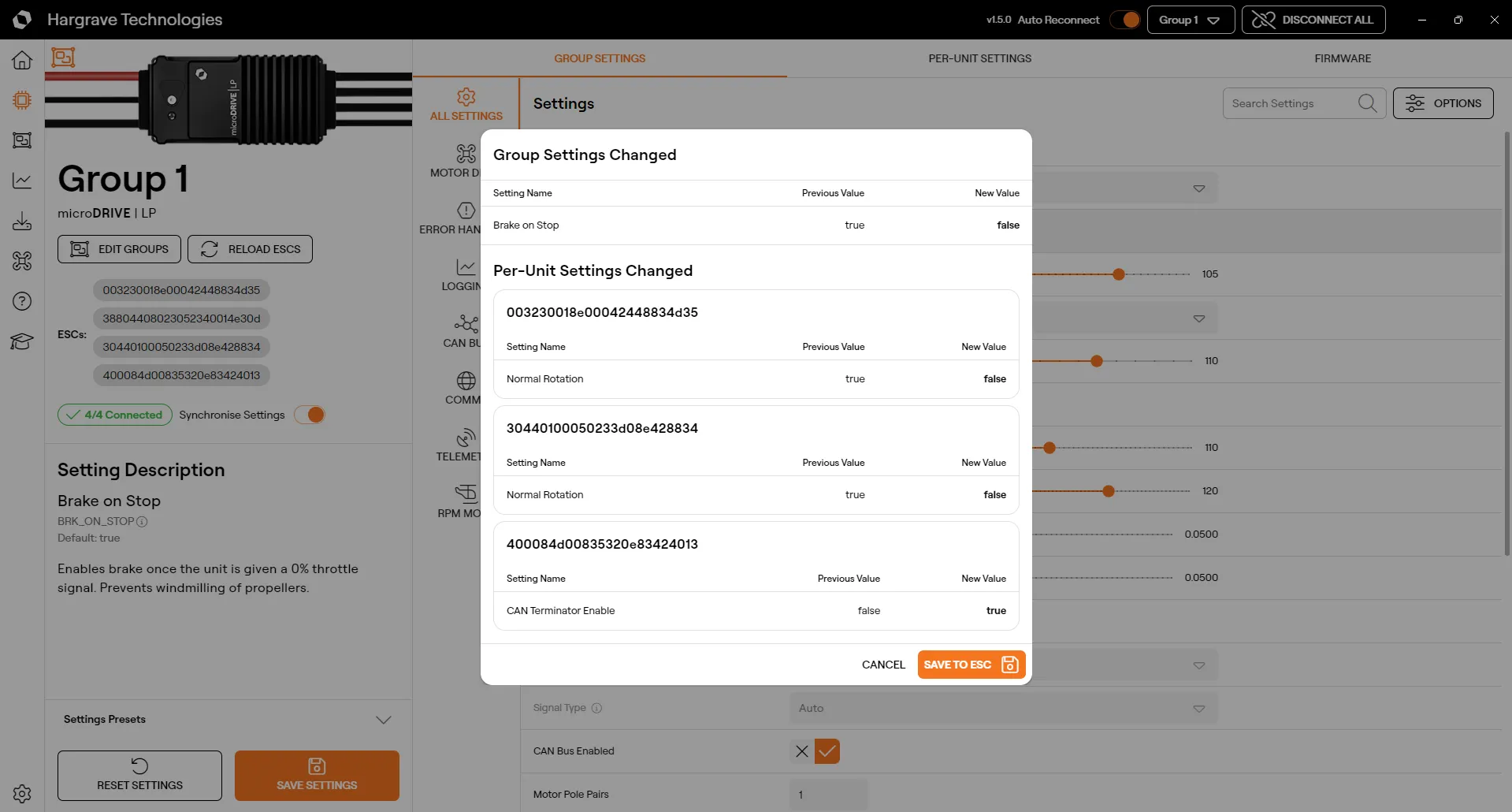
When you select save settings the settings will be saved to each ESC in the group. The save confirmation dialog will show you which settings are getting changed for the whole group and what individual settings are changing.
Applying a Settings Preset
Applying a settings preset will apply only to the group settings. If settings sync is disabled the preset will only apply to the first ESC in the group.
Updating Firmware
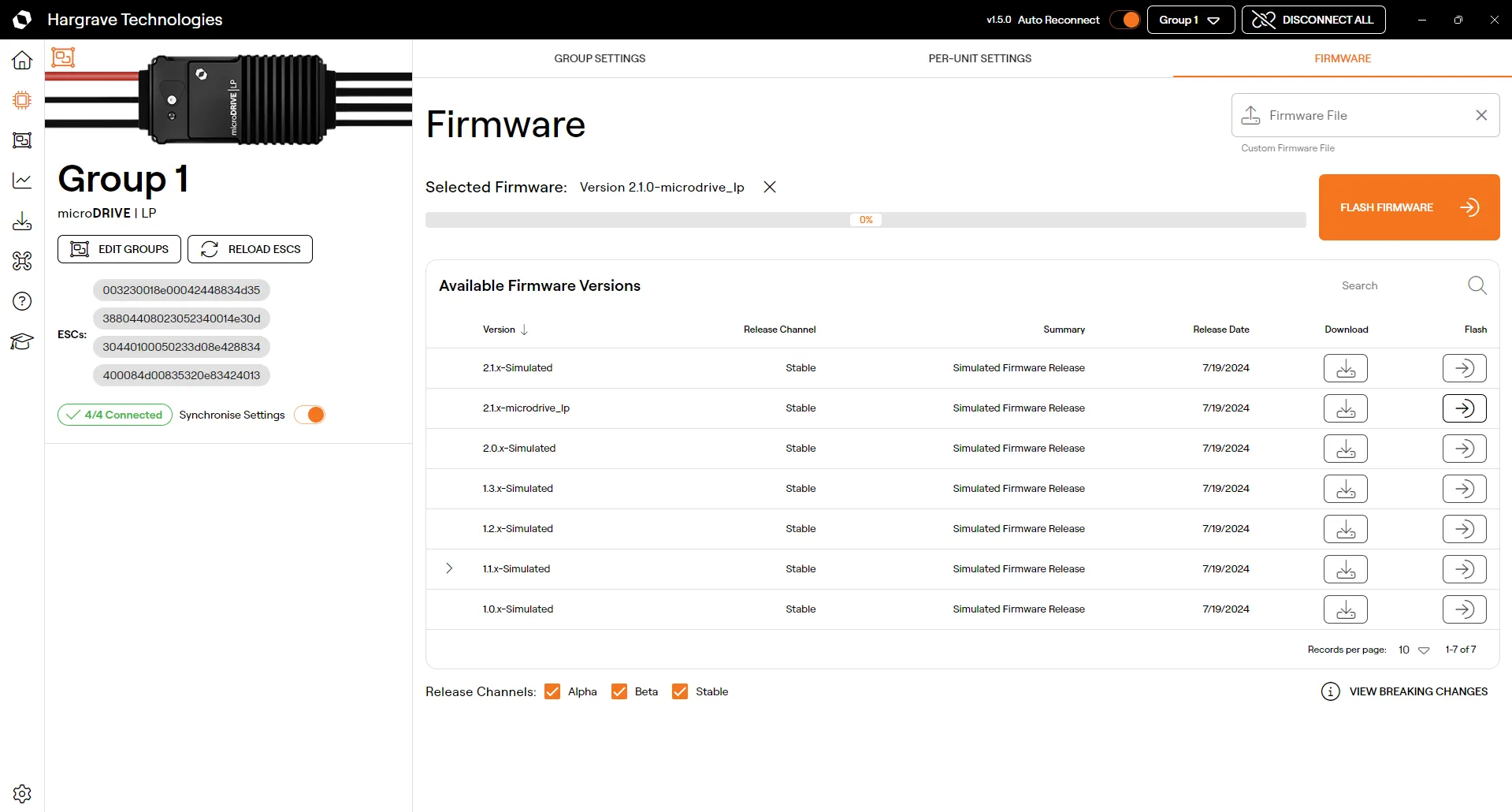
Updating firmware for a group will write the firmware to each ESC in the group. The progress bar shows the total progress for the entire group of writes. The process for flashing firmware to a group is the same as for a single ESC.